

Our Verdict
Neither spreadsheets nor budgeting apps are universally superior — both can help you reach your financial goals when used consistently. Spreadsheets reward detail-oriented users who value flexibility and data privacy, while apps suit those who want automation and low maintenance. The deciding factor is which tool you'll open every week without dreading it.
| Best for | Recommended |
|---|---|
| Detail-oriented individuals who prefer full control over their budget structure | Spreadsheet budgeting |
| Busy households wanting automated transaction syncing and reminders | Budgeting apps |
| Privacy-conscious users who don't want to link bank credentials anywhere | Spreadsheet budgeting |
| Beginners who want a guided structure with pre-built categories | Budgeting apps |
The Core Difference: Manual Control vs. Automated Convenience
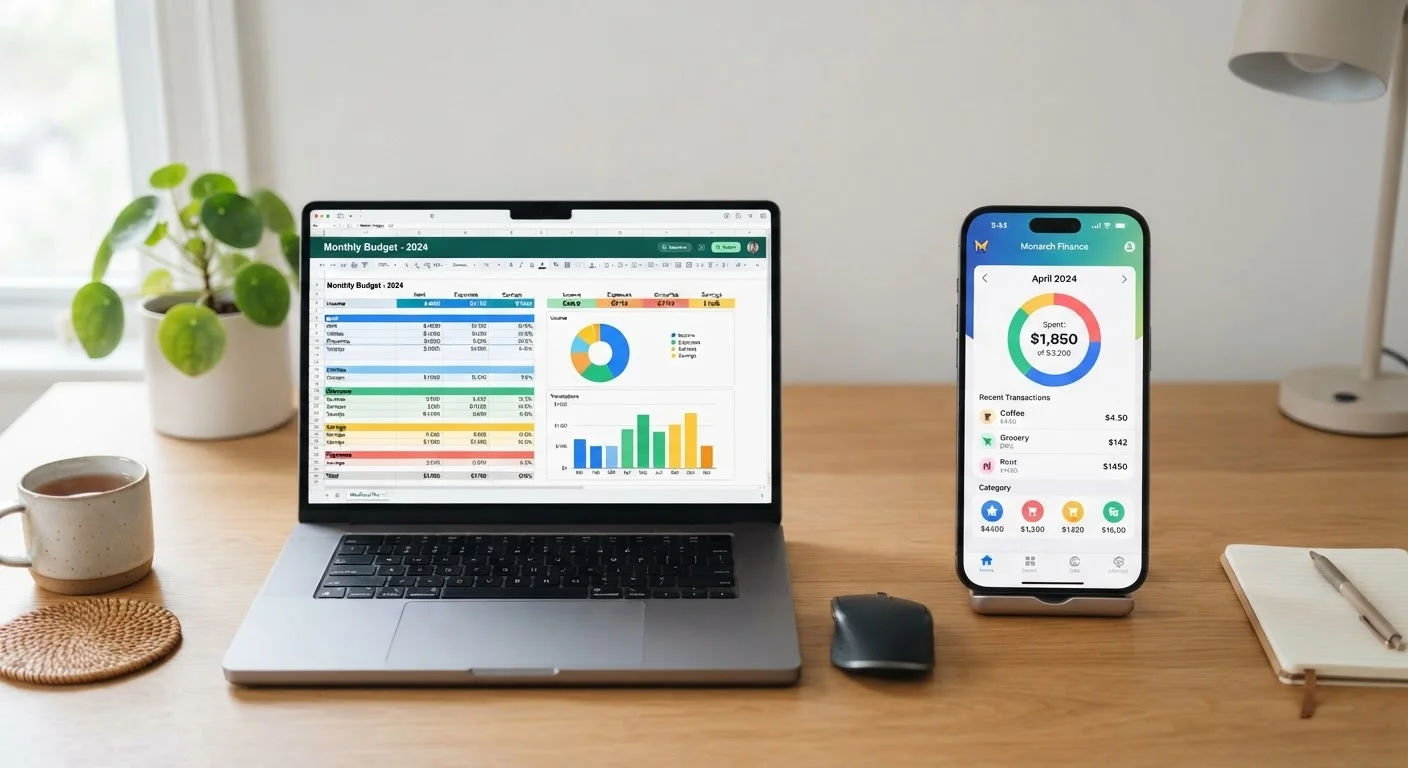
At their heart, spreadsheets and budgeting apps represent two philosophies: one hands you the wheel entirely, the other drives for you. A spreadsheet — whether built in a free tool like Google Sheets or a desktop program — is a blank canvas. You define every category, set every formula, and enter every transaction yourself. That manual effort is a feature for some people and a dealbreaker for others.
Budgeting apps, by contrast, are designed to reduce friction. Most connect directly to your bank accounts and credit cards, pulling in transactions automatically and sorting them into preset categories. The setup time is shorter, and daily maintenance is minimal.
If you're just starting out, our plain-English budgeting starter guide walks through the fundamentals before you commit to either tool.
| Spreadsheets | Budgeting Apps | |
|---|---|---|
| Setup time | Higher — build from scratch | Lower — guided onboarding |
| Transaction entry | Manual entry required | Automatic bank sync available |
| Customization | Unlimited flexibility | Limited to app's structure |
| Data privacy | Stays on your device | Shared with third-party service |
| Cost | Often free (Google Sheets) | Free tiers or paid subscriptions |
| Learning curve | Requires formula basics | Minimal — designed for ease |
| Visual reporting | Build your own charts | Built-in dashboards |
| Best for irregular income | Highly adaptable | Can be rigid in categories |
Where Spreadsheets Shine — and Where They Struggle
Spreadsheets excel at customization. You can build a layout that mirrors exactly how you think about money — grouping irregular costs like car repairs and annual subscriptions into a dedicated sinking fund column, for example. Our article on spending categories most budgets underestimate shows why that flexibility matters.
Privacy is another genuine advantage. Your financial data stays on your device or a personal cloud account you control — no third-party company holds it.
The friction, however, is real. Every transaction must be entered manually, which means a missed week can snowball into a data backlog that feels discouraging to catch up. Spreadsheets also require at least basic comfort with formulas; a misconfigured cell can silently miscalculate your totals.
Keep Your Spreadsheet Simple at First
A common mistake is building an overly complex spreadsheet on day one — dozens of categories, conditional formatting, and pivot tables. Start with just five to seven spending categories and refine over time. A simpler layout you maintain consistently will always outperform an elaborate one you abandon after two weeks.
Where Budgeting Apps Excel — and Where They Fall Short
Apps remove the most common reason budgets fail: forgetting to update them. Automatic transaction imports mean your data is current with minimal effort. Most apps also provide visual summaries — spending-by-category charts, monthly trend lines — that make it easier to spot patterns at a glance.
The trade-off is data sharing. Linking a bank account to any third-party app carries an inherent privacy and security consideration. App permissions and data-handling policies vary widely, so it's worth reading the privacy terms before connecting sensitive accounts. Some apps also charge monthly subscription fees that add up over time.
Automatic categorization is convenient but imperfect — a grocery purchase at a store that also sells electronics may land in the wrong bucket, requiring periodic manual corrections.
Review App Permissions Before Linking Accounts
Before connecting any financial account to a budgeting app, review what data the app accesses, how long it retains it, and whether it shares data with advertisers or partners. Read the app's privacy policy, not just the marketing page. If you're uncomfortable with any term, manual entry is always a valid alternative.
Matching the Tool to Your Habits and Goals
The best budgeting method is the one you'll use every month without procrastinating. Ask yourself a few honest questions: Do you enjoy tinkering with data, or do you want something that just works? How important is keeping your financial details off third-party servers? Do you prefer visual dashboards or rows and columns?
If your income is irregular or your budget structure changes frequently — say, you're freelancing or managing a side business — a spreadsheet's flexibility is hard to beat. If you have a stable income and want to automate the tedious parts, an app removes real daily friction.
Some households use a hybrid approach: an app for real-time spending awareness during the month, and a spreadsheet for the monthly review and longer-term planning. This works well if you're committed to saving consistently on a tight budget, where every dollar placement matters.
You might also consider pairing either tool with a structured method. Our comparison of zero-based budgeting versus the 50/30/20 rule can help you choose a framework before you pick the software to run it.
This article is for general informational and educational purposes only and does not constitute personalised financial advice. Consult a qualified financial professional for guidance specific to your situation.
The content on this site is for informational purposes only and is not a substitute for professional advice. Always consult a qualified professional for guidance specific to your situation.