

Our Verdict
Neither wired nor wireless is universally superior — the right choice depends on the device category, your home's physical layout, and your tolerance for installation complexity. Wired connections win on long-term reliability and security; wireless wins on flexibility and ease of setup. For most households, a deliberate hybrid approach delivers the best overall outcome.
| Best for | Recommended |
|---|---|
| Homeowners planning a renovation or new build | Wired connections |
| Renters or those who want minimal installation disruption | Wireless devices |
| Security-critical applications like cameras and door locks | Wired connections |
| Lighting, sensors, and low-stakes automation in existing homes | Wireless devices |
Why This Choice Matters More Than Most Guides Admit
Most smart home guides treat wired versus wireless as a simple convenience trade-off — wired is harder to install, wireless is easier, end of story. That framing skips the parts that actually affect how your home functions day to day: latency, failure modes, physical security, and long-term maintenance costs.
The connection type isn't just about setup effort. It shapes how a device behaves during a Wi-Fi outage, how vulnerable it is to signal interference, whether it needs a battery replacement at 2 a.m., and how hard it is to troubleshoot when something goes wrong. Understanding these deeper differences helps you make decisions you won't regret after the walls are painted and the furniture is in place.
For a broader view of which connected devices tend to deliver real value in everyday use, see our room-by-room look at home technology.
Where Wired Connections Have a Genuine Advantage
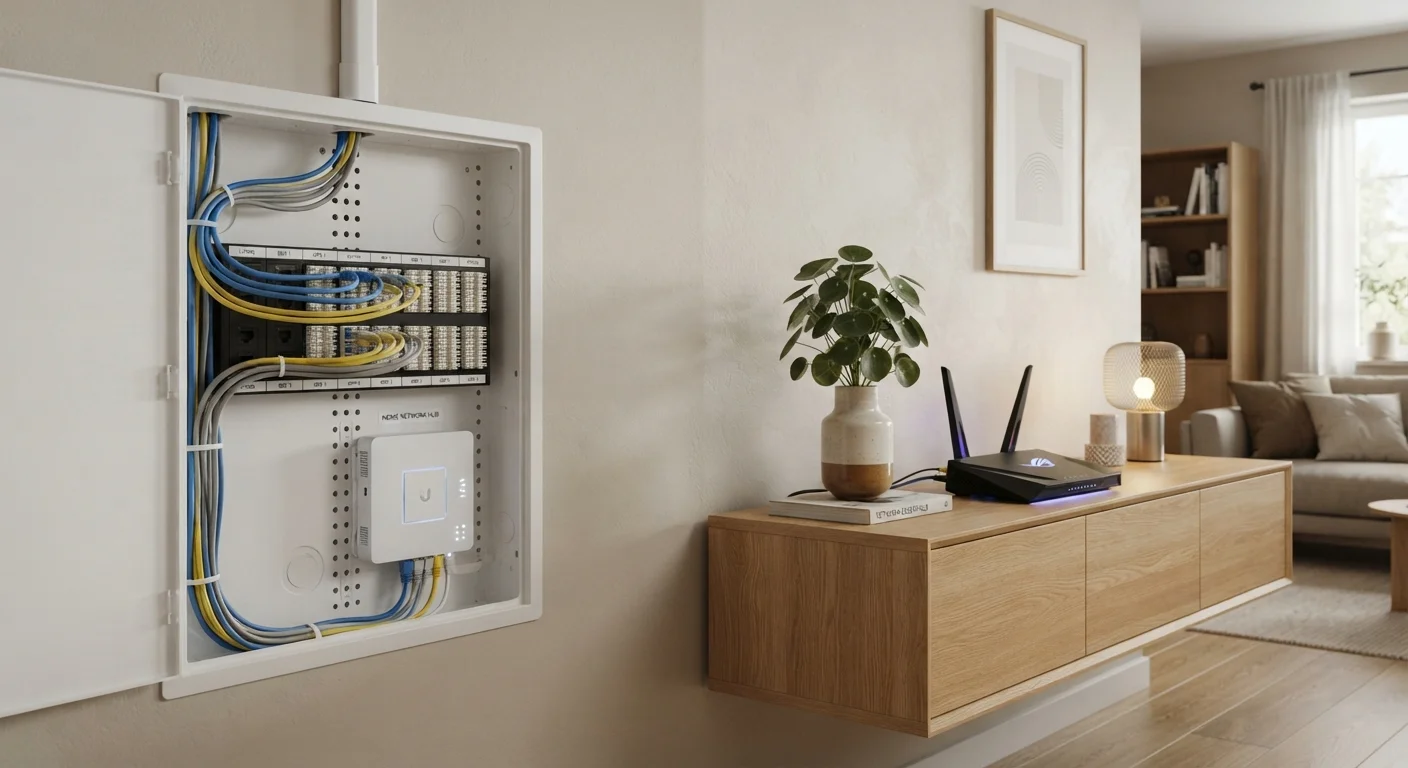
A wired connection — whether that's Power over Ethernet (PoE) for cameras or hardwired switches for lighting — eliminates the three most common sources of smart home frustration: signal interference, latency spikes, and battery dependency.
Interference is a real issue in dense residential environments. Neighboring Wi-Fi networks, Bluetooth devices, and even microwave ovens can degrade wireless signals. A physically wired device doesn't care about any of that. For applications where a half-second delay is unacceptable — a front-door camera that needs to capture a package thief, or a garage door sensor tied to an alarm system — wired reliability is genuinely meaningful, not just a theoretical benefit.
Wired devices also tend to have a lower attack surface from a cybersecurity standpoint. A device that isn't broadcasting a wireless signal is harder to target remotely. For more on reducing your smart home's network vulnerabilities, our guide on securing your smart home network covers practical steps that don't require technical expertise.
| Criterion | Wired | Wireless | |
|---|---|---|---|
| Installation complexity | High — often requires wall work or an electrician | Low — typically plug-in or adhesive mount | |
| Connection reliability | Very high — unaffected by Wi-Fi congestion | Moderate — subject to interference and dropouts | |
| Flexibility / repositioning | Low — fixed once installed | High — move or add devices easily | |
| Ongoing maintenance | Minimal once installed | Battery replacements and firmware updates | |
| Suitability for renters | Generally not suitable | Well suited | |
| Latency / response speed | Consistently low | Variable depending on network load | |
| Network security exposure | Lower wireless attack surface | Broader wireless attack surface |
The main drawback is installation. Running ethernet or low-voltage wiring through finished walls typically involves drilling, fishing wire through insulation, and potentially hiring an electrician. In a new build or a major renovation, that cost is marginal. In a completed home, it's a real consideration.
Where Wireless Devices Make More Sense
Wireless smart home devices — those using Wi-Fi, Zigbee, Z-Wave, or Thread — dominate the consumer market for good reasons. They can be installed without touching a single wall, repositioned when your needs change, and expanded without pre-planning a wiring layout. For renters, the case is even clearer: no drilling into structural elements and no permanent alterations.
For lower-stakes devices like smart bulbs, plug-in sensors, or voice assistants, the occasional dropped connection is an inconvenience rather than a failure. If a smart bulb disconnects for five minutes, nothing critical is compromised. The convenience of wireless installation typically outweighs the reliability gap in these scenarios.
Consider Mesh Protocols for Larger Homes
If your home exceeds roughly 1,500 square feet or has thick interior walls, standard Wi-Fi smart devices may struggle with range. Zigbee and Z-Wave devices create self-healing mesh networks, where each device repeats the signal to its neighbors. This can deliver more consistent wireless coverage than adding Wi-Fi extenders. Check that any hub or controller you choose supports the protocol your devices use.
Wireless protocols vary significantly in range, power consumption, and mesh capability. Zigbee and Z-Wave devices, for example, often form mesh networks where each device strengthens the overall signal — making them more robust in larger homes than standard Wi-Fi devices. Our breakdown of Wi-Fi, Zigbee, Z-Wave, and Thread explains how these protocols differ in plain language.
Battery-powered wireless devices do introduce an ongoing maintenance burden. A sensor with a two-year battery life is manageable; a dozen devices on different replacement cycles can become a recurring chore. If you're planning a wireless-heavy setup, it's worth factoring this into your long-term expectations.
Device Categories Where the Trade-Off Is Sharpest
The wired-versus-wireless decision isn't uniform across all device types. The stakes differ meaningfully by category:
- Security cameras: Wired PoE cameras offer continuous recording, no battery concerns, and more stable video streams. Wireless cameras are easier to place but may drop frames during peak network congestion or require regular charging.
- Smart door locks: Most consumer smart locks are battery-powered wireless devices. They work well in practice, but battery failure or a Wi-Fi outage at the wrong moment is a genuine risk. Monitoring battery levels consistently is essential.
- Lighting controls: Hardwired smart switches replace the existing wall switch and work independently of Wi-Fi for basic on/off function — a significant reliability advantage. Smart bulbs, by contrast, depend entirely on wireless connectivity and can behave unexpectedly if the bulb loses power at the socket.
- Environmental sensors: Temperature, humidity, and motion sensors are generally low-stakes enough that wireless is the practical default. Frequent wireless dropouts in these devices, however, can usually be traced to fixable causes — our article on why smart devices keep disconnecting covers the most common ones.
If you're working within budget constraints and trying to decide which categories to prioritize, our guide on building a smart home on a budget offers a practical framework for allocating your spend.
The content on this site is for informational purposes only and is not a substitute for professional advice. Always consult a qualified professional for guidance specific to your situation.