

Our Verdict
Tablets are genuinely useful everyday devices for the right person — ideal for media, casual browsing, video calls, and light productivity. They are not a straightforward replacement for a laptop if your work involves complex software, extensive file management, or precision input. The honest answer is that a tablet works best as a complement to your existing devices, or as a primary device only if your computing needs are relatively modest.
Tablets are best suited for readers, students, remote workers with light workloads, and households looking for a shared device for entertainment, video calls, and casual browsing.
What a Tablet Actually Is (and Isn't)
A tablet is a touchscreen device larger than a smartphone — typically between 8 and 13 inches — that runs a mobile or modified operating system. Most tablets run either Android or iPadOS, though some Windows-based tablets blur the line with full desktop operating systems. For a deeper look at how these mobile platforms compare, see how Android and iOS differ in practice.
The core promise of a tablet is flexibility: more screen real estate than a phone, lighter and more portable than a laptop. That promise is real — but so are the limitations. Understanding both helps you figure out whether a tablet fills a genuine gap in your setup or just adds another device to charge.
A Note on Windows-Based Tablets
Some tablets — often called 2-in-1s or detachables — run full Windows and function much more like traditional laptops. These devices can run desktop software and handle more complex workflows, but they are generally heavier, pricier, and have shorter battery life than standard tablets. If your needs lean toward full desktop computing in a portable form, a Windows-based 2-in-1 may be worth considering separately from conventional tablets.
Where Tablets Genuinely Shine
For a large category of everyday tasks, tablets are legitimately excellent tools — not a compromise.
Exceptional battery life compared to most laptops
Most tablets deliver 8–12 hours of real-world use on a single charge, making them reliable for full-day use without hunting for an outlet.
Lightweight and genuinely portable
Even large tablets typically weigh under two pounds, making them easy to carry in a bag or hold for extended reading sessions.
Excellent for media consumption and reading
A large, high-resolution touchscreen is well-suited to streaming video, e-books, news apps, and digital magazines — tasks many people do for hours daily.
Video calling is natural and comfortable
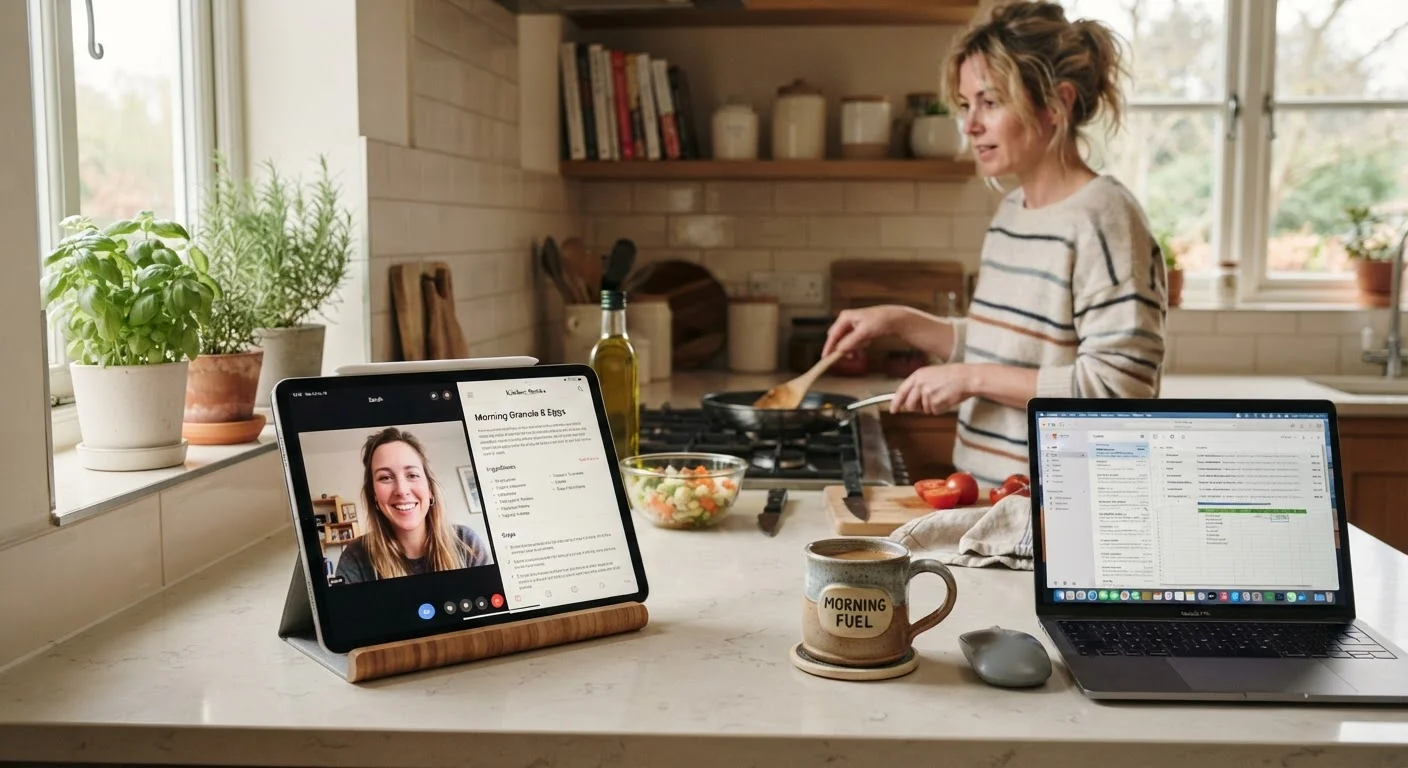
The front-facing camera, larger screen, and easy prop-ability make video calls on a tablet a noticeably better experience than on a phone.
More affordable entry point than a laptop
Entry-level tablets are generally less expensive than comparable laptops, making them accessible for households on tighter budgets.
Streaming video and reading long-form content on a tablet is a noticeably better experience than on a phone, without the weight of a laptop. Video calls benefit from a larger camera field and stable prop-ability. If you're thinking about how tablets and other connected devices fit into specific rooms at home, this room-by-room look at home technology offers useful real-world perspective.
Tablets also serve families well as shared household devices — a neutral screen for recipes, homework help, or a kid's learning app that doesn't require handing over a personal phone or expensive laptop.
8–12 hrs
Typical tablet battery life per charge
Most mid-range to premium tablets sustain 8–12 hours of mixed use, outperforming the majority of consumer laptops in real-world scenarios.
~1.5 lbs
Average weight of a full-size tablet
A typical 10–11 inch tablet weighs roughly 1 to 1.5 pounds, making it significantly lighter than even an ultrabook laptop.
Where Tablets Fall Short
The limitations of tablets are real and worth naming clearly before you invest in one as a laptop replacement.
Cannot run full desktop software applications
Most tablets run mobile operating systems that don't support full versions of professional software like advanced design suites, engineering tools, or complex financial platforms.
File management is cumbersome
Mobile operating systems were designed around apps, not files — managing documents, folders, and transfers is noticeably harder than on a traditional computer.
Typing at length remains a weak point
Even with an external keyboard accessory, most users find sustained writing or data entry slower and less comfortable on a tablet than on a laptop.
Multitasking is more limited than a desktop OS
Split-screen features exist on many tablets, but running multiple demanding applications simultaneously is typically less fluid than on a full computer.
Peripheral and accessory compatibility gaps
Tablets often have limited ports and may not natively support printers, external drives, or other peripherals that connect easily to a laptop or desktop.
File management is a persistent frustration — mobile operating systems were not designed with complex folder structures or multi-application workflows in mind. If your work relies on full desktop software — professional design tools, accounting platforms, specialized industry applications — most tablets simply cannot run them. For a comparison of operating systems that do support those workflows, see Windows, macOS, and ChromeOS compared side by side.
Physical input is another consistent weak point. Even with a Bluetooth keyboard and stylus, extended typing sessions on a tablet are typically less efficient than on a proper laptop — the software keyboard takes up screen space, and many productivity apps feel designed for touch rather than precision work.
The Connectivity Question
One decision that shapes how useful a tablet actually is in daily life: whether to get a Wi-Fi-only model or pay for cellular connectivity. A Wi-Fi-only tablet is cheaper to buy and has no ongoing data plan cost, but it's only useful where there's a reliable wireless network. A cellular tablet works anywhere your carrier has coverage, but adds a monthly bill.
This tradeoff matters most for commuters, travelers, and anyone who wants to use a tablet away from home regularly. Weighing cellular versus Wi-Fi-only tablets in more depth can help you work through that specific decision.
For most people who primarily use a tablet at home or in Wi-Fi-enabled spaces, a Wi-Fi-only model is sufficient. But if you find yourself frequently offline and needing connectivity, the cellular option is worth the cost consideration.
Tablets and Digital Organization at Home
One underappreciated use case for tablets is household management — calendars, shared grocery lists, recipe apps, and family scheduling. A tablet propped in the kitchen or living room serves as a low-friction shared display in a way a laptop rarely does. If your household is weighing digital tools against paper-based systems, how paper and digital organization compare for families may offer useful framing.
That said, a tablet is only as useful as the habits built around it. The device won't organize your household on its own — it's a tool, and like any tool, its value depends on consistent use. If your family already ignores a shared whiteboard, a tablet calendar may face the same fate.
The content on this site is for informational purposes only and is not a substitute for professional advice. Always consult a qualified professional for guidance specific to your situation.